
How to discover themes in your verbatim data using TruVerbatim’s AI-powered topic modelling pipeline.
Topic Modelling reads through all your open-ended survey responses and automatically groups them into meaningful themes. The system analyses the richness of your text and routes it through the most appropriate pipeline, so you always get the best results for your data.
Each response is assigned:
- A primary theme (e.g. “Customer Service”)
- A sub-theme (e.g. “Staff Friendliness”)
- Secondary codes for additional themes mentioned in the same response
Before you start
| Requirement | Detail |
| File format | CSV or Excel (.xlsx) |
| Minimum rows | 50 responses (100+ recommended for best results) |
| Text column | One column containing the verbatim responses |
| Metadata | Optional extra columns (age, region, gender) enable cross-tabulation later |
Data Preparation Tips
- Each row should contain a single response
- Use clean, simple column headers without special characters
- Remove fully blank rows before uploading, or let TruVerbatim’s auto-cleaning handle them
- If your data has grouped columns (e.g. brand_1, brand_2, brand_3), TruVerbatim will detect and unpivot them automatically
Step-by-Step Guide
Step 1: Upload Your Data
- Open TruVerbatim and sign in with your account
- In the chat interface, drag and drop your CSV or Excel file onto the upload area (or click to browse)
- Select the column containing your verbatim text (e.g. “Q5_Response”, “Open_Ended_Feedback”)
Auto data cleaning to:
- Detect and anonymise personal information (names, emails, phone numbers)
- Filter profanity
- Remove duplicate responses
- Remove blank rows
Step 2: Review the Triage Recommendation
Before running any analysis, TruVerbatim performs a richness check on your data. This evaluates several characteristics of your text:
| What it checks | What it means |
| Response length | Are responses long enough for thematic clustering? |
| Short response rate | What proportion of responses are very brief? |
| Vocabulary diversity | Is the language varied enough to find distinct themes? |
| Text density | Do responses share enough common vocabulary? |
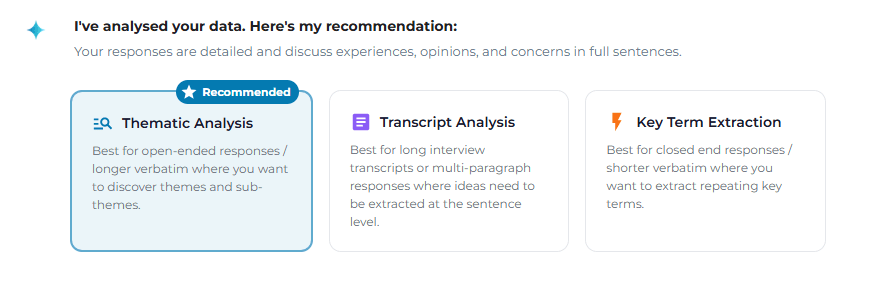
Based on these checks, you will see a recommendation card with a clear explanation and a suggestion. Two pipeline options are presented:
- Thematic Analysis – recommended for rich, detailed responses (paragraphs, full sentences)
- Key Term Extraction – recommended for short responses mentioning specific entities (brands, products, places)
You are free to accept the recommendation or choose a different approach to get the best insights from your data.
Step 3: Start the Analysis
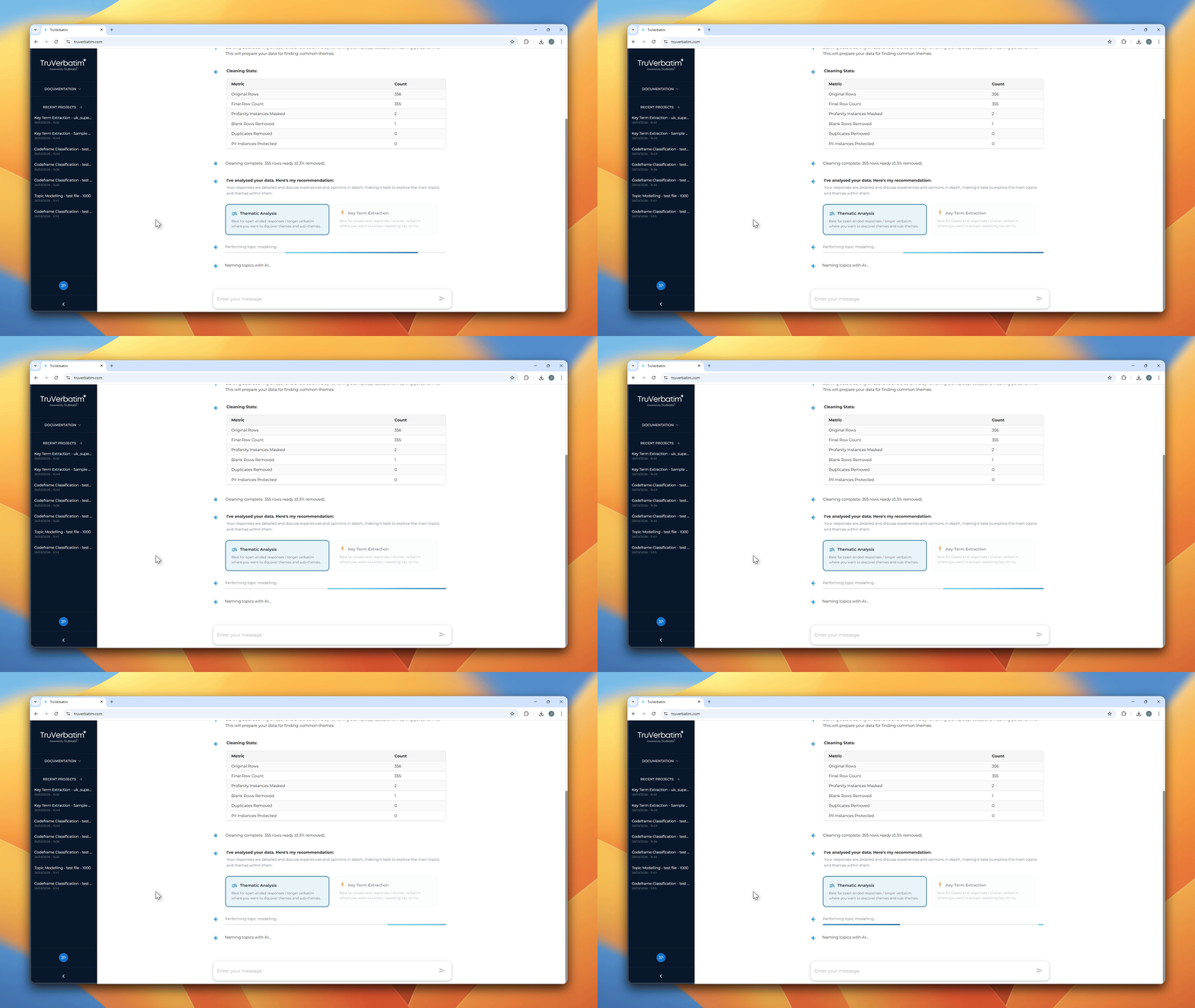
Click your chosen pipeline card. The analysis begins immediately and you will see real-time progress in the chat:
- Analysing language patterns (thematic analysis only) – each response is analysed for meaning and similarity
- Grouping responses – responses with similar meanings are grouped together into clusters
- Naming themes – the AI reads each cluster and gives it a descriptive, human-readable name
- Building hierarchy – clusters are organised into parent themes and sub-themes
- Multi-coding – every response is classified against the full codeframe, including secondary codes
- Quality check – the system evaluates how well the themes separate your data
A progress bar and status messages update in real time so you always know what stage the system has reached.
Step 4: View Your Results
Step 4: View Your Results
When the analysis completes, several elements appear in the chat:
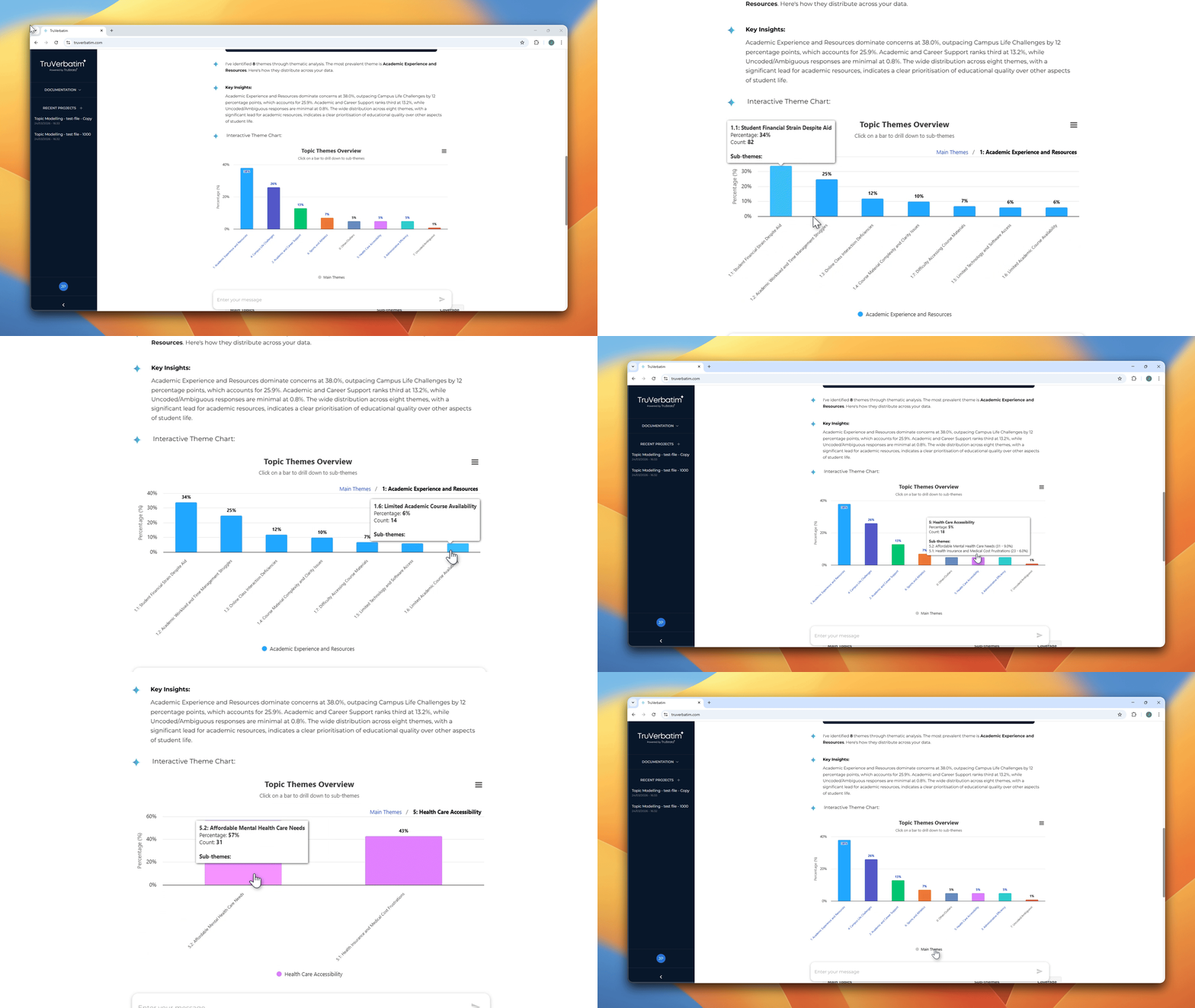
- Interactive bar chart – your themes ranked by frequency with drill-down to sub-themes
- Theme summary table – a table listing each theme with its count, percentage, and top keywords
- AI-generated insight – a brief narrative summary of the key findings
Step 5: Interact with the Chart
- Click any bar to drill down into its sub-themes
- Click the breadcrumb at the top to navigate back to the parent level
- Hover over a bar to see exact counts and percentages in the tooltip
Mention rank filtering (grouped data only): If your data contained grouped columns that were unpivoted, toggle chips appear above the chart:
- Total – all mentions combined
- 1st mention – first-choice responses only
- 2nd mention, 3rd mention, etc.
This lets you see whether a theme is top-of-mind or typically a secondary consideration.
Tips for Best Results
- More data is better – aim for at least 100 responses for thematic analysis
- Trust the recommendation – the richness check is designed to route your data to the best pipeline
- Review the outliers – always check the “Other” category for responses that did not fit a theme
- Iterate – use merge and Q&A to refine the theme structure until it tells the story you need
- Include metadata – additional columns like age, region, or segment enable much richer cross-tabulation in the Q&A step